Battery at a glance
Laptop and Bluetooth device levels, using the values Windows reports.
SMALL SPACE. MANY POSSIBILITIES.
A closer look at what fits inside Holm, and how it fits into your day.
01 / MUSIC & SOUND
A glance for the track. A click for the controls. Holm brings Windows media sessions to the top of your screen, with colours drawn from the album artwork.
Read the guide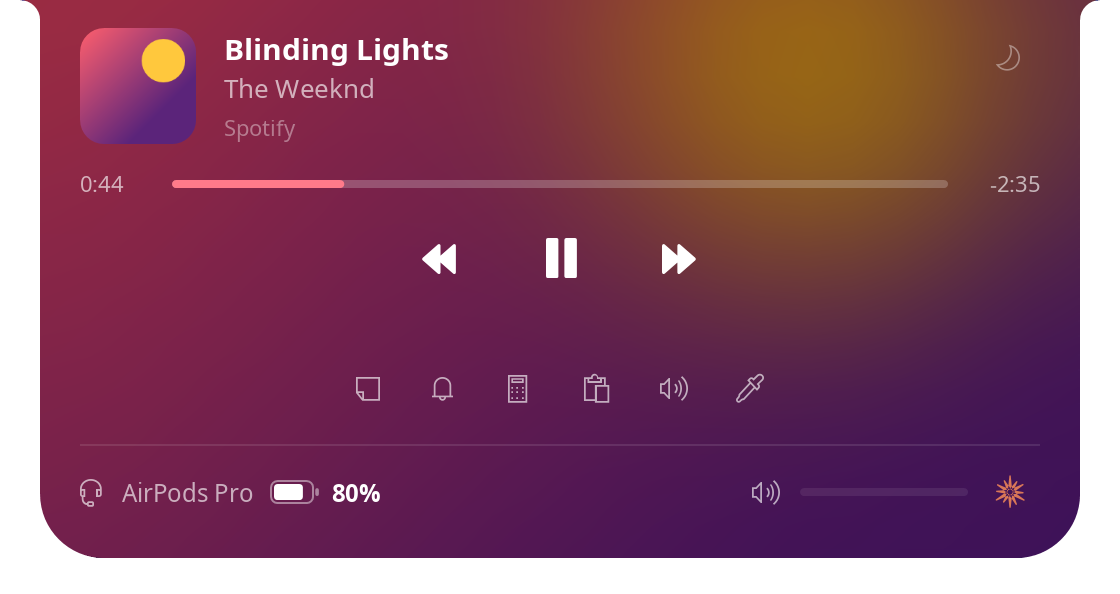
Play, pause, skip and seek. Adjust volume, shuffle and repeat when supported by your player.
Switch output devices, connect paired Bluetooth audio devices and adjust volume for each app.
Set a sleep timer, or let Holm pause the music for your call and resume afterwards.
02 / EVERYDAY TOOLS
A note before you forget it. A reminder in your own words. The small tools you reach for all day, in one familiar place.
Read the guide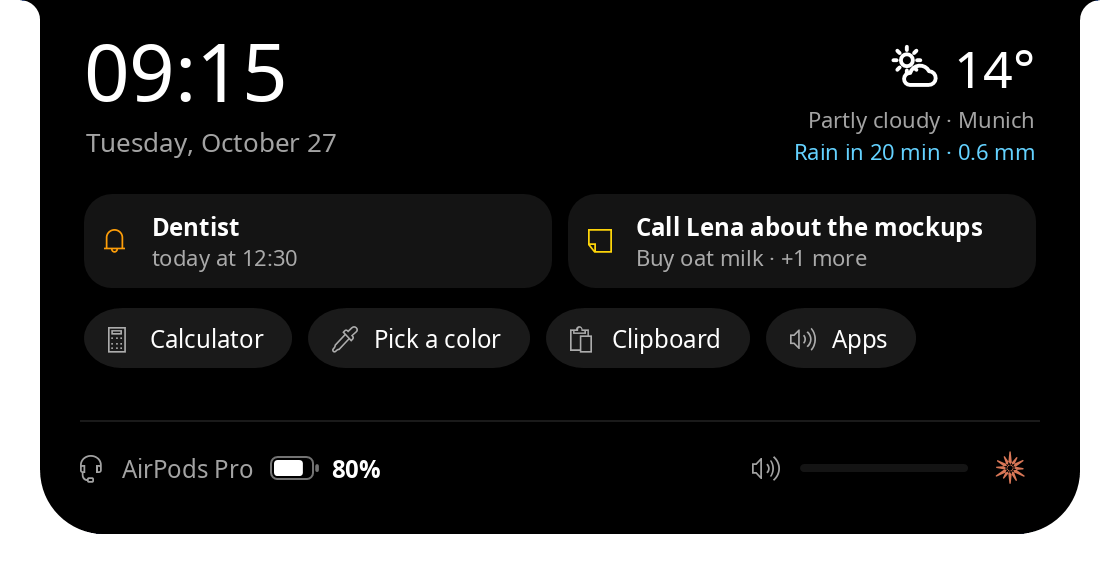
Time, weather, your next reminder and your note. Useful before you even start the music.
A calculator, clipboard history, colour picker, reminders and a per-app mixer.
Park files on Shelf. Copy text from a screenshot using Windows OCR on your own PC.
03 / BEAM & FRIENDS
Drag a file onto the notch and choose where it goes: a friend, someone nearby, a phone or a one-time code.
Read the guide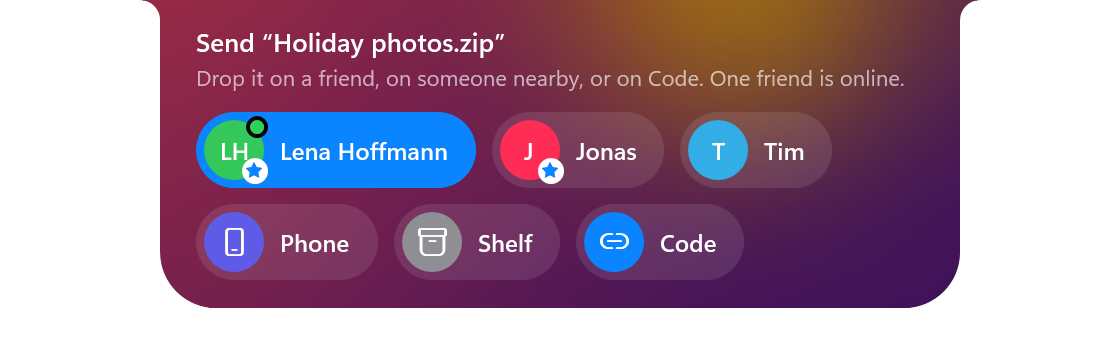
Discover Holm on your network, or use a friend or code to send across different networks.
Scan a QR code to get files in your phone’s browser over the same Wi-Fi.
Chat, react, send GIFs and invite a friend to watch your screen from the Holm window.
04 / QUIET AWARENESS
The right heads-up at the right moment. Then back to a small, quiet notch.
Read the guide
Headphone battery, volume changes, downloads, USB drives, VPN and connection status.
Previews and unread counts for supported messengers. Choose which apps can interrupt, and when.
Quiet hours, separate panel sizes, fullscreen hiding and an optional setting that makes room for browser tabs.
A FEW MORE LITTLE DETAILS
Laptop and Bluetooth device levels, using the values Windows reports.
See the call’s app and duration, with a muted microphone indicator.
Microphone and camera dots for activity reported by Windows.
Hide during fullscreen games and videos. Let the resting notch step aside for browser tabs.
An optional button opens Claude, Gemini, ChatGPT or an app you choose.
The portable app checks for stable GitHub releases. You choose when to install.
Capabilities vary with Windows, connected devices and third-party apps. See requirements and limitations →

A LITTLE MORE HOLM.
A small addition to your Windows desktop.
A lot of little things, brought together.